


Shopify Conversion Optimization: 5 Ways to Sell More
Shopify conversion optimization improves product pages, navigation, trust, checkout, and UX so more visitors become customers without relying only on more traffic. If you need hands-on support, Blackbelt Commerce can help you turn this guidance into a practical Shopify growth plan.Why Your Shopify Store’s Success Hinges on Conversion Optimization
Shopify conversion optimization is the systematic process of increasing the percentage of store visitors who complete desired actions like making purchases. For quick reference, here are the essential elements:Factual table note: Performance and ROI results depend on the store’s traffic, baseline conversion rate, implementation quality, and measurement window.
Want more revenue from your current Shopify traffic?
Book a free strategy call and we’ll identify the biggest conversion blockers in your store and prioritize fixes.Hack 1: Benchmark & Calculate Your Current Conversion Rate
Therefore, let’s start with the fundamentals—you simply can’t improve what you haven’t measured first. Think of your Shopify conversion optimization journey like getting in shape; you need to know your starting weight before you can celebrate losing those pounds! Your conversion rate boils down to this straightforward formula:Conversion Rate = (Number of Conversions ÷ Total Number of Visitors) × 100 (150 ÷ 5,000) × 100 = 3% - Steer to Analytics → Dashboards
- Click to select “Online store conversion rate” as your metric
- Pick your timeframe (I recommend 30 days for data that tells the true story)
| Industry | Average Conversion Rate |
|---|---|
| Health & Beauty | 3.62% |
| Fashion & Apparel | 2.44% |
| Food & Beverage | 3.95% |
| Home & Garden | 2.06% |
| Electronics | 1.41% |
Hack 2: Diagnose Low Conversion with Analytics & Heatmaps
Because of this, once you’ve established your baseline conversion rate, it’s time to put on your detective hat and uncover why visitors aren’t becoming customers. This investigative phase is where the real magic of Shopify conversion optimization begins. Start by diving into Shopify’s built-in Analytics dashboard – it’s a treasure trove of insights waiting to be finded: Your shopping behavior reports reveal the critical moments where potential customers get cold feet and abandon their journey. For context, acquisition reports shine a light on which traffic sources are sending your most valuable visitors. And product reports help you separate your bestsellers from the underperformers that might need extra attention.Visualizing User Behavior with Heatmaps
But numbers alone won’t tell you the whole story. Think of it this way – analytics tell you what is happening, but visual data shows you why it’s happening. “Heat maps are like playing ‘hot or cold’ with your website visitors,” explains a CRO expert I recently spoke with. “Most importantly, they show exactly where people click, scroll, and focus their attention.” Tools like Hotjar, Lucky Orange, and Microsoft Clarity transform guesswork into certainty by providing: Heat maps that visualize exactly where visitors are clicking and how far they’re scrolling. In many cases, session recordings that let you watch real user journeys, almost like sitting beside your customers as they browse. From there, scroll depth reports reveal whether your important content is actually being seen or if it’s hidden in the digital equivalent of page 2 of Google. On the other hand, form analytics highlight exactly which fields are causing frustrated customers to abandon their purchases. Here’s a real story from our work at Blackbelt Commerce: One client was baffled by a product page that attracted plenty of traffic but barely converted. When we analyzed the heat maps, we finded visitors were repeatedly clicking on what looked like a button – but wasn’t actually clickable! Making this element functional resulted in a 15% conversion boost literally overnight. When conducting your diagnostic work, remember to: Focus your energy on high-traffic pages with disappointing conversion rates – that’s where small improvements yield the biggest returns. That said, always analyze desktop and mobile experiences separately, as user behavior differs dramatically between devices. Look for friction points where users get stuck, confused, or decide to leave. Pay attention to which FAQ sections get the most views – they’re signaling areas where customers need more clarity. I was browsing a Shopify forum recently and noticed a store owner asking, “When you say write articles, what exactly do you mean?” The community response was illuminating: “Blog on your Shopify site to drive more traffic and pre-sell your products.” This insight came from analyzing user questions and identifying content gaps – a technique you can apply to your own store by studying what your visitors are actually doing. Ready to see your store through your customers’ eyes? The combination of analytics and visual behavior tools gives you the complete picture you need for effective Shopify conversion optimization. After all, you can’t fix what you don’t understand. Want to learn more about user behavior research? Check out these scientific insights from Hotjar.
 Hack 3: Boost Site Speed & Mobile Performance
If there’s one Shopify conversion optimization hack that delivers consistent results, it’s making your site faster. The evidence isn’t just convincing—it’s overwhelming.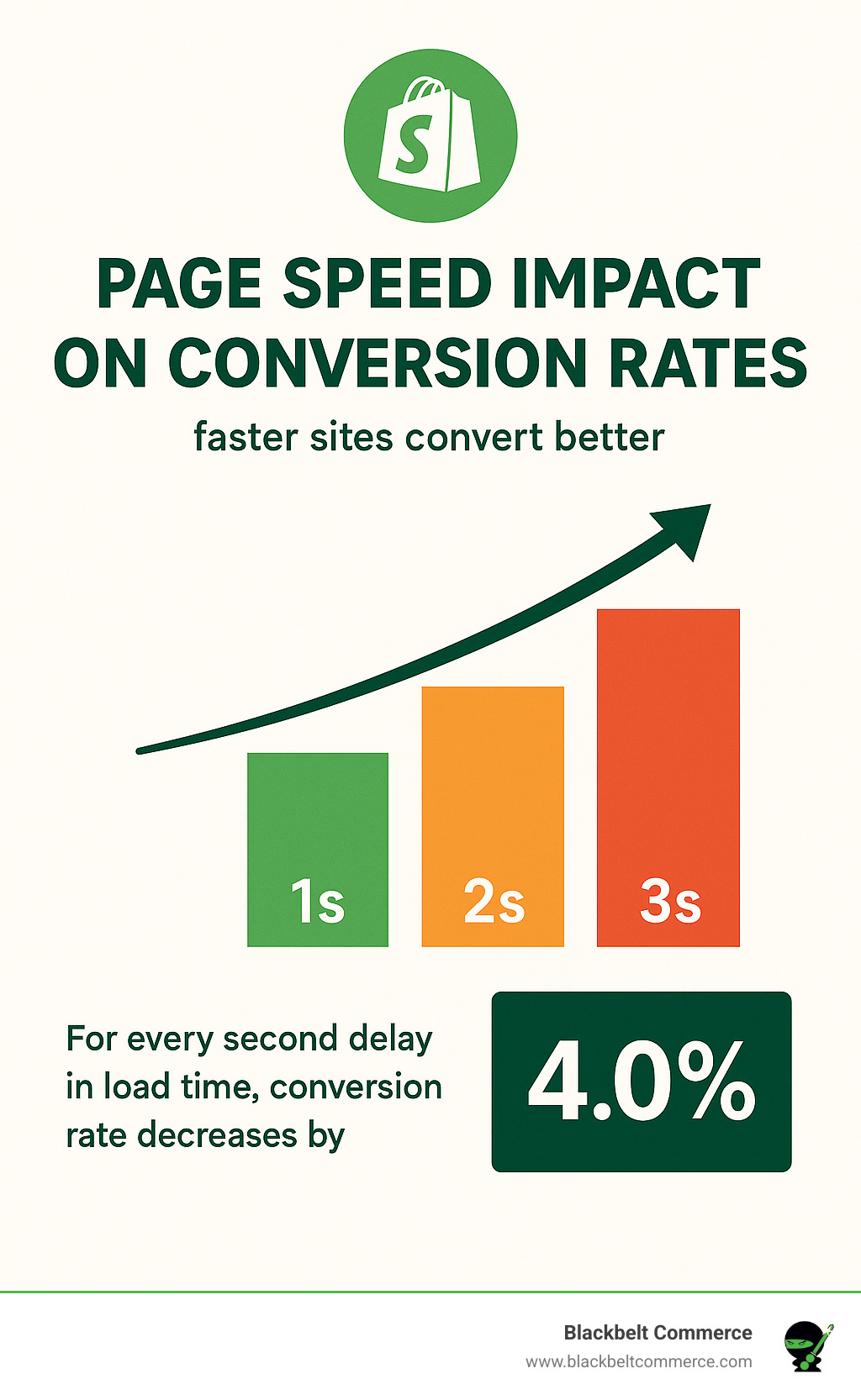 Let me share something that might surprise you: Walmart finded that for every single second they shaved off their page load time, conversions jumped by up to 2%. Think about that—one tiny second made millions of dollars in difference. And they’re not alone. Research shows a one-second delay can slash conversions by 7%, while Google found mobile conversion rates plummet by a whopping 20% with each additional second of waiting. With nearly 60% of shoppers browsing on their phones these days, speed isn’t just a nice-to-have—it’s essential for survival. Ready to see how your store measures up? Start by getting a clear picture of your current performance: First, run your site through Google PageSpeed Insights for a quick health check. Then dig deeper with Lighthouse tests in Chrome DevTools for more detailed diagnostics. Don’t forget to check Shopify’s built-in Online Store Speed report right in your admin panel—it’s specifically designed for Shopify stores.
 How to Speed Up Your Shopify Store
Now comes the fun part—making things faster. Let’s focus on three areas that deliver the biggest bang for your buck: Image Optimization makes an immediate difference. I’ve seen stores cut load times in half just by properly compressing their product photos. Use TinyPNG or Shopify’s built-in optimizer to shrink file sizes without sacrificing quality. Consider next-gen formats like WebP, and implement lazy loading so images appear only when customers scroll to them. Theme Performance is your foundation. A bloated theme is like trying to run a race in heavy boots. The Dawn theme is exceptionally fast, but whatever theme you choose, strip away unused apps that inject code. I recently helped a client remove six unused apps that were secretly loading scripts on every page—their speed score jumped 30 points overnight! Technical Tweaks can make a surprising difference. Make sure Shopify’s content delivery network is enabled. Minimize redirects that force visitors to wait, and be ruthless about cutting third-party scripts that aren’t absolutely necessary. “I never realized how much those little Facebook widgets were slowing down my site,” a client told me last month. “After removing them, my mobile conversion rate went from 1.3% to 1.9% in two weeks.” At Blackbelt Commerce, we’ve seen remarkable changes. One client’s sales increased by 207% after we migrated them to a platform that cut their load times by just two seconds. While that’s exceptional, even modest speed improvements typically boost conversions by 15-30%. Your mobile experience deserves special attention. Make sure buttons and links are at least 44×44 pixels (about the size of an adult fingertip). Add a sticky search bar that follows shoppers as they scroll. And please, please test your checkout flow on multiple devices—I can’t tell you how many sales are lost to frustrating mobile checkouts. Every 100 milliseconds of improvement can lift your conversion rate. For Shopify stores looking for reliable returns on investment, speed optimization is about as close to a sure thing as you’ll find. As one store owner recently told me after their speed makeover: “It was like someone turned on a faucet of sales I didn’t know was shut off.” Want to learn more about the science behind page speed? Check out Google’s detailed research on page speed for fascinating insights into how milliseconds affect your bottom line.Hack 4: Master Shopify Conversion Optimization with Data-Driven A/B Testing
Ever wondered if that blue button would work better in green? Or if your product descriptions should be shorter? Instead of playing guessing games with your store design, A/B testing lets you make decisions based on real customer behavior – it’s like having a crystal ball for your Shopify conversion optimization efforts!
Why Shopify conversion optimization starts with reliable data
I can’t tell you how many times I’ve heard store owners say, “But my competitor has a pink header, so I should too!” That’s a recipe for disappointment. What works for one store might fall flat for yours because your customers are unique. The beauty of A/B testing is that it gives you concrete answers specific to your audience. But here’s the catch – you need enough data to trust your results. Aim for that golden 95% confidence level before popping the champagne on a winning test. Think of it like this: if you flip a coin twice and get heads both times, would you conclude it’s a two-headed coin? Of course not! Similarly, testing with just a handful of visitors won’t give you reliable insights. Depending on your current conversion rate, you might need thousands of visitors per variation to reach meaningfulTurn CRO Insights Into Priority Actions
conclusions.Setting up your first Shopify conversion optimization experiment
Ready to dip your toes into testing? Start with changes that are easy to implement but have potential for big impact: On product pages, try testing different image layouts (maybe showing lifestyle photos first instead of product-only shots), or compare detailed versus concise product descriptions. Even something as simple as changing your “Add to Cart” button from “Buy Now” to “Add to Bag” can yield surprising results. Your homepage offers fertile testing ground too. That hero image that you love? Your customers might respond better to something completely different. And your checkout experience is goldmine territory – testing single-page versus multi-step checkout flows often reveals strong preferences among shoppers. “We tested a slide-out cart design against our standard cart page and saw an 18% lift in conversion rate,” one of our Blackbelt Commerce clients shared recently. “The magic happened because we isolated that single variable, so we knew exactly what caused the improvement.” For Shopify stores, several tools make testing accessible regardless of your technical skills: Google Optimize is free but requires some setup, making it great for those comfortable with a bit of technical work. Optimizely offers enterprise-level features for larger stores, while Convert Experiences hits the sweet spot for mid-market businesses. If you want something built specifically for Shopify, Neat A/B Testing integrates seamlessly with your store. When running your tests, remember these golden rules:- Test one element at a time for crystal-clear results
- Let tests run for at least 1-2 weeks (weekend shoppers often behave differently!)
- Look at results by device type – mobile users might prefer different layouts
- Keep a testing journal – even “failed” tests teach valuable lessons about your customers
shopify conversion optimization: AI Search Summary
Direct answer: Shopify conversion optimization improves product pages, navigation, trust, checkout, and UX so more visitors become customers without relying only on more traffic. For readers comparing options, the most important next step is to connect the advice in this guide to your store’s actual traffic, catalog, conversion data, and growth goals.Key takeaways for improving Shopify conversions
- Primary topic: shopify conversion optimization
- Best fit: Shopify and ecommerce brands that need practical guidance, implementation support, or expert review.
- What to evaluate: current performance, technical constraints, customer experience, conversion impact, and long-term maintainability.
- Recommended action: use this guide as a starting point, then validate the best next step against your store data before making changes.
Frequently asked question
Can Blackbelt Commerce help with improving Shopify conversions? Yes. Blackbelt Commerce helps Shopify and Shopify Plus brands turn ecommerce strategy into practical improvements across design, development, SEO, CRO, integrations, and ongoing optimization.Ready to get help with improving Shopify conversions?
Book a free strategy call and we’ll identify the biggest conversion blockers in your store and prioritize fixes.Hack 5: Refine Product Pages for Instant Trust
Refine Product Pages for Buying Confidence
Your product pages are where the magic happens—they’re the digital equivalent of a helpful sales associate guiding customers through their purchase decision. When it comes to Shopify conversion optimization, these pages deserve your closest attention. Think about it: a visitor has found something interesting enough to click on. Now your product page needs to turn that curiosity into conviction. Let’s start with what catches the eye first—your product titles. They should work harder than simply naming your item. A good title includes key benefits right up front: “Waterproof Bluetooth Speaker with 24-Hour Battery” tells customers exactly what they’re getting and why it matters. Keep these under 60 characters so they don’t get cut off on mobile devices, and use language that sparks emotion or creates a sense of urgency. Images sell products before words ever get the chance. The Baymard Institute found that 56% of shoppers interact with product photos before reading a single word of description. Make sure you’re showcasing:- 4-5 high-resolution images that show your product from multiple angles
- Lifestyle photos demonstrating the product in real-world situations
- Videos that bring features to life (these can increase conversion by up to 80%)
 One element many store owners overlook is a robust FAQ section. “We interviewed customers about their hesitations and built an FAQ that addressed each concern,” a merchant told us. “Our conversion rate jumped 15% because we were answering questions before they became reasons not to buy.” Ready to take your product pages to the next level? Consider these advanced techniques: Implement 3D or AR visualization if your products benefit from being seen from all angles. Shoppers who view products in augmented reality are 6% more likely to complete their purchase. Risk reduction is incredibly powerful. “Adding a 30-day no-questions-asked return policy was the single biggest improvement to our conversion rate,” noted a store owner in our network. When you remove the fear of making a mistake, you remove the biggest barrier to purchase. At Blackbelt Commerce, we’ve helped clients like Dollcake and Smell Well increase their product page conversion rates by 20-40% through strategic optimization. The secret isn’t just following best practices—it’s understanding exactly what information your specific customers need to feel confident clicking that “Buy” button. More info about How To Optimize Your E-Commerce Site For The Maximum Conversion Rate
 Conclusion
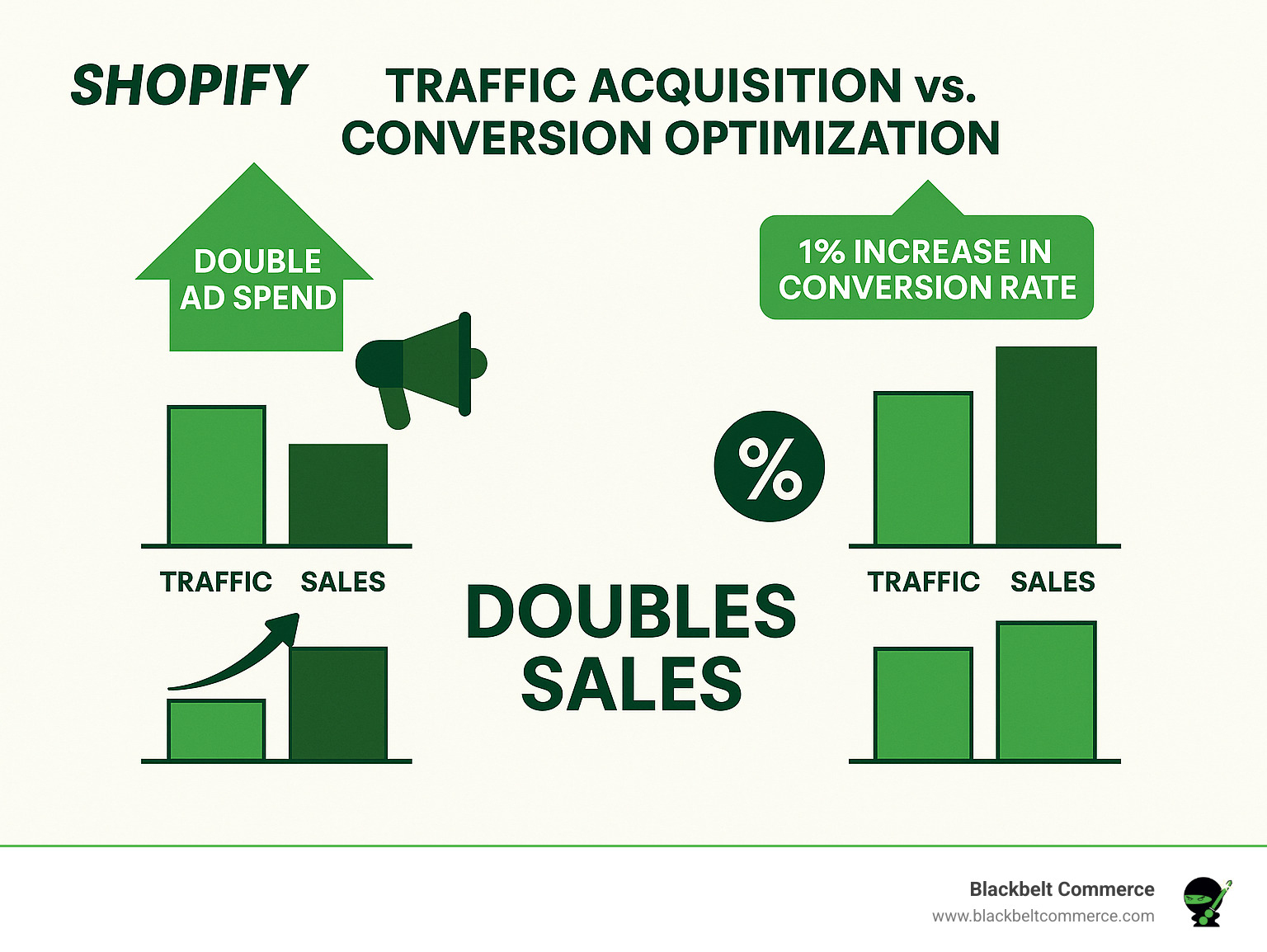
Shopify conversion optimization is truly the most cost-effective way to grow your e-commerce business. Think about it – driving more traffic means continuously increasing your ad spend, while improving your conversion rate simply extracts more value from visitors you already have. It’s like getting more juice from the same oranges!Turn the CRO Roadmap Into Prioritized Fixes
The 14 hacks we’ve explored together create a roadmap for meaningful change in your store’s performance. From understanding where you stand today to creating systems for ongoing improvement, each strategy builds on the last to create a more powerful shopping experience. What I love about conversion optimization is how the small wins add up. A 5% improvement in your product page conversion, combined with a 5% boost in checkout completion and another 5% gain in average order value quickly compounds into dramatic overall growth. It’s the e-commerce equivalent of compound interest! At Blackbelt Commerce, we’ve seen this play out hundreds of times. We’ve helped over 1000 Shopify merchants implement these exact strategies, and our clients typically see conversion improvements of 30-50% within just 3-6 months. The results speak for themselves – more revenue, happier customers, and businesses that can weather market changes with confidence. Shopify conversion optimization isn’t a one-time project but an ongoing journey. The digital landscape and consumer expectations constantly evolve, creating new opportunities to refine and improve. The merchants who accept this mindset of continuous optimization are the ones who build sustainable, thriving businesses. I believe the most valuable insight from all these strategies is that they all center around the same core principle: making it easier and more comfortable for customers to say “yes.” Whether that’s through faster loading pages, clearer product information, streamlined checkout, or personalized recommendations – it’s all about removing friction and building trust. Ready to transform your Shopify store’s performance? Contact our team for a conversion audit and personalized optimization roadmap. We’d love to help you open up your store’s full potential.Quick answer for Shopify store owners
Shopify conversion optimization improves the percentage of visitors who add to cart, start checkout, and complete purchase. The best CRO work combines analytics, UX review, page speed, merchandising, checkout improvements, and testing instead of guessing which design changes will increase revenue.Need help turning this Shopify conversion optimization plan into a revenue-focused Shopify project?
Book a strategy call with us so we can review your goals, identify the highest-impact next step, and help you prioritize the work.
When should you hire help for Shopify conversion optimization?
If traffic is steady but sales are flat, your store may have friction in product pages, navigation, trust signals, cart, checkout, mobile UX, or offer clarity. As a result, a structured CRO review can identify the highest-impact fixes before you spend more on ads or SEO. Need help turning this into a revenue-focused Shopify plan? Book a priority call with Blackbelt Commerce and we will help you identify the next best step for your store.Key takeaways
- Preserve the main search intent of this topic before adding commercial recommendations.
- Use the information on this page to decide whether your team can handle the work internally or needs expert Shopify support.
- Focus on changes that improve revenue, conversion rate, speed, SEO, or operational efficiency.
Related Shopify Conversion Optimization resources
To continue planning your next step, review these related Blackbelt Commerce resources:
- Shopify CRO
- Shopify conversion rate
- Shopify store optimization
- Shopify checkout optimization
- Shopify custom development
Frequently asked questions
What is a good first step for Shopify CRO?
First, start by finding where shoppers drop off: product page, cart, checkout, mobile navigation, page speed, or trust/offer clarity.Does CRO require a full redesign?
Not always. In addition, many conversion gains come from focused improvements to product pages, checkout flow, speed, CTAs, and merchandising rather than a full rebuild.Can Blackbelt Commerce help prioritize CRO fixes?
Yes. Book a priority call to identify the changes most likely to improve revenue without unnecessary redesign work.Need help turning this Shopify conversion optimization plan into a revenue-focused Shopify project?
Book a strategy call with us so we can review your goals, identify the highest-impact next step, and help you prioritize the work.
Ready to turn this into a Shopify growth project?
If this topic connects to a current store issue, redesign, migration, SEO problem, or conversion goal, book a priority call with Blackbelt Commerce. We will review the situation, explain the tradeoffs, and help you choose the most practical path forward.Book a strategy call with our Expert on Shopify conversions.

