


Over 60 percent of American retailers report that even small changes to their Shopify stores can deliver major gains in sales. In a crowded online market, understanding what drives shoppers to buy is crucial for anyone aiming to stand out. This guide breaks down practical steps for American businesses eager to transform store performance, from detailed analytics to smart upgrades that help convert more visitors into loyal customers.
Table of Contents
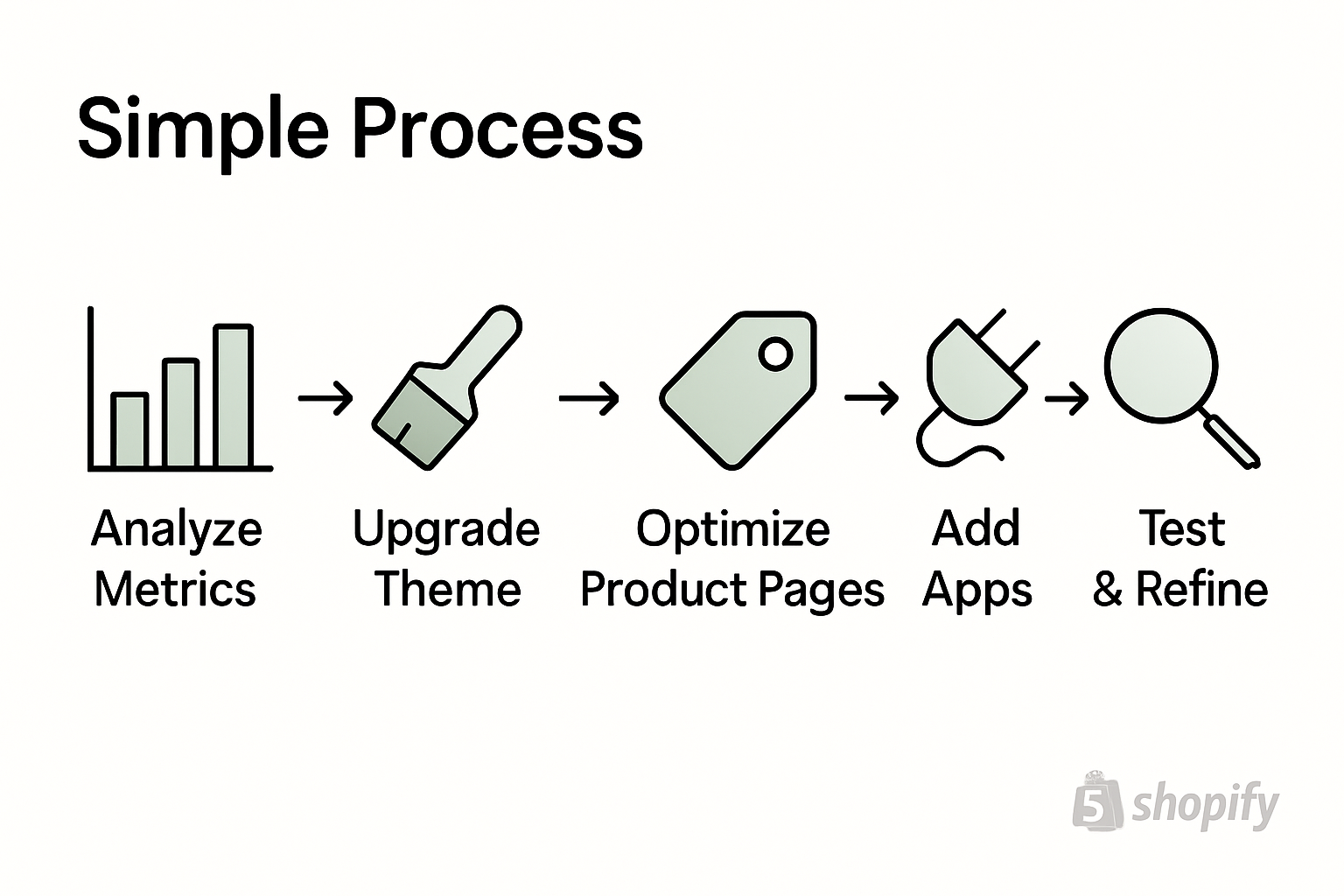
- Step 1: Assess Store Performance And Analytics
- Step 2: Upgrade Theme And Streamline User Experience
- Step 3: Optimize Product Pages For Seo And Conversions
- Step 4: Implement Advanced Apps And Integrations
- Step 5: Test, Analyze, And Refine Improvements
Quick Summary
| Key Message | Explanation |
|---|---|
| 1. Analyze Performance Metrics | Start by assessing conversion rates and traffic sources to identify improvement areas for your Shopify store. |
| 2. Enhance User Experience | Upgrade to a responsive theme to improve navigation, loading speeds, and overall aesthetics for better customer engagement. |
| 3. Optimize Product Pages | Create compelling product descriptions and use structured data to improve SEO and increase conversions. |
| 4. Utilize Advanced Apps | Integrate apps that automate marketing and streamline processes to boost store performance and customer experience. |
| 5. Continuously Test and Refine | Implement A/B testing and regular performance reviews to adjust strategies based on data and improve results. |
Step 1: Assess store performance and analytics
Shopify store optimization begins with comprehensive performance analysis. Understanding your store’s current metrics provides the strategic foundation for driving higher conversions and revenue growth. Real-time data collection and performance tracking offer critical insights into customer behavior and potential optimization opportunities.
Start by accessing your Shopify analytics dashboard and examining key performance indicators such as conversion rate, average order value, traffic sources, and customer engagement metrics. Look beyond surface-level numbers and dig deeper into patterns. Monitoring performance benchmarks helps retailers understand their store’s strengths and weaknesses. Track metrics like bounce rate, time on site, cart abandonment rate, and product page views to identify potential friction points in your customer journey.
Pro tip: Configure custom reports in Google Analytics connected to your Shopify store to gain more granular insights. Pay special attention to segments like new versus returning customers, mobile versus desktop performance, and geographic traffic distribution. These nuanced data points can reveal strategic opportunities for targeted improvements that directly impact your conversion rates.
Next, you will leverage these performance insights to develop a targeted optimization strategy that addresses specific areas of improvement in your Shopify store.
Step 2: Upgrade theme and streamline user experience
Improving your Shopify store’s visual design and user interface can significantly boost conversion rates and customer engagement. A well-designed theme communicates professionalism and creates a smooth navigation experience that encourages visitors to explore and purchase products.
Begin by critically evaluating your current theme’s performance and user experience. Select a responsive theme that adapts seamlessly across mobile, tablet, and desktop devices. Look for themes with clean layouts, intuitive navigation menus, fast loading speeds, and built-in conversion optimization features. Pay special attention to elements like product image galleries, color schemes, typography readability, and checkout page design. Prioritize themes that offer customization options allowing you to align the aesthetic with your brand identity while maintaining a user friendly interface.
Pro tip: Test your chosen theme thoroughly before full implementation. Use Shopify’s preview mode to review how your site appears on different devices and screen sizes. Create test purchase scenarios to validate the checkout process and ensure smooth functionality. Consider conducting user testing or gathering feedback from a small group of customers to identify any potential navigation or design friction points.
Next, you will focus on optimizing specific design elements and implementing strategic conversion rate improvement techniques throughout your Shopify store.
Step 3: Optimize product pages for SEO and conversions
Creating high-performing product pages is crucial for driving sales and improving your Shopify store’s search engine visibility. Strategic website content and structure optimization plays a pivotal role in attracting potential customers and converting browsing visitors into buyers.

Focus on crafting compelling product descriptions that balance informative details with persuasive language. Include relevant keywords naturally throughout the content, ensuring they align with how potential customers might search for your products. Use high-quality product images from multiple angles, provide clear sizing information, and highlight unique product features. Implement structured data markup to help search engines understand your product details, which can improve your chances of appearing in rich search results.
Pro tip: Develop a consistent product page template that includes critical elements like clear pricing, multiple product images, customer reviews, shipping information, and prominent call-to-action buttons. Test different variations of your product page layout and content to identify the most effective combination for driving conversions. Pay special attention to mobile responsiveness, as an increasing number of shoppers make purchases through mobile devices.
Next, you will explore advanced techniques for creating targeted marketing strategies that complement your optimized product pages.
Step 4: Implement advanced apps and integrations
Digital marketing strategies through advanced apps and integrations can transform your Shopify store from a basic online shop to a high-performing ecommerce platform. Advanced integrations enable you to automate processes, enhance customer experience, and unlock powerful insights that drive business growth.
Start by identifying apps that address specific business needs such as marketing automation, customer support, inventory management, and analytics. Look for apps with robust features that integrate seamlessly with Shopify and provide scalable solutions. Consider tools that offer advanced reporting capabilities, enable personalized marketing campaigns, streamline customer communication, and provide actionable insights. Utilizing Shopify’s analytics tools helps merchants collect and interpret critical performance data that can inform strategic business decisions.
Pro tip: Before installing any app, carefully review its compatibility, user ratings, support quality, and potential impact on site performance. Start with a few strategic integrations and gradually expand your app ecosystem. Prioritize apps that offer free trials, allowing you to test functionality and measure their impact on your store’s performance before making a long term commitment.
Next, you will develop a comprehensive marketing strategy that leverages these advanced apps and integrations to drive targeted customer engagement and increase conversions.
Step 5: Test, analyze, and refine improvements
Data analytics plays a critical role in measuring digital marketing performance and transforming your Shopify store into a high-converting powerhouse. Continuous testing and refinement are essential for uncovering insights that drive meaningful business growth and customer engagement.
Implement a systematic approach to performance analysis by setting up comprehensive tracking mechanisms. Utilize Shopify analytics and Google Analytics to monitor key performance indicators such as conversion rates, average order value, cart abandonment rates, and customer acquisition costs. Continuous performance monitoring enables merchants to benchmark against industry standards and identify precise areas for improvement. Conduct A/B testing on critical elements like product descriptions, pricing strategies, checkout processes, and marketing campaigns to understand what resonates most with your target audience.
Pro tip: Create a dedicated performance tracking dashboard that consolidates metrics from multiple sources. Set up regular review intervals monthly or quarterly to assess progress, identify trends, and make data driven adjustments. Remember that optimization is an ongoing process requiring consistent attention and willingness to experiment with new strategies.
Next, you will develop a comprehensive optimization roadmap that integrates insights from your performance analysis into actionable improvements for your Shopify store.
Unlock Your Shopify Store’s True Potential with Expert Optimization
Many Shopify store owners face challenges like low conversion rates, high cart abandonment, and underperforming product pages despite putting in the effort. This article outlines essential steps such as analyzing performance, upgrading themes, leveraging SEO strategies, and utilizing advanced apps to elevate your online store’s efficiency. At Blackbelt Commerce, we understand these pain points and specialize in transforming stores with custom Shopify solutions that focus on increasing traffic, boosting revenue, and enhancing user experience.
Take control over your Shopify success today. Whether you need custom theme development, advanced marketing integrations, or ongoing support, Blackbelt Commerce offers proven expertise that turns insights into impactful results.

Ready to elevate your Shopify store with tailored strategies that deliver higher conversions and sustained growth? Visit Blackbelt Commerce now to explore how our comprehensive services can transform your ecommerce business. Discover detailed case studies, client testimonials, and get started on optimizing your online storefront for measurable success.
Frequently Asked Questions
How can I assess the performance of my Shopify store?
To assess your Shopify store’s performance, start by accessing your analytics dashboard. Examine key metrics such as conversion rate, average order value, and cart abandonment rate to identify areas for improvement.
What themes should I choose to optimize user experience on Shopify?
Select a responsive theme that features a clean layout and fast loading speeds. Look for customization options to align the design with your brand identity while ensuring an intuitive navigation experience for visitors.
How do I optimize product pages for better SEO and conversions?
To optimize product pages, create compelling descriptions that include relevant keywords naturally. Ensure your pages have high-quality images and structured data markup to enhance search visibility and improve conversion rates.
What advanced apps should I consider integrating into my Shopify store?
Consider integrating apps that address your specific business needs, such as marketing automation and analytics tools. Focus on apps with robust features that can seamlessly streamline your operations and enhance customer experiences.
How can I measure the effectiveness of my optimization efforts?
Measure the effectiveness of your optimization efforts by monitoring key performance indicators and conducting A/B testing on various elements. Set interval reviews, such as monthly or quarterly, to analyze trends and inform necessary adjustments for continuous improvement.
What is the best way to start implementing a Shopify optimization strategy?
Begin by conducting a thorough performance analysis using Shopify analytics. Identify key areas for improvement and create a prioritized action plan to enhance your store’s performance and increase conversion rates.
