


Over half of Shopify store owners overlook key setup steps that determine long term success. Rushing into launch without a clear assessment of business needs can leave costly gaps in your operation. Whether you are starting fresh or planning to upgrade, it pays to build on a strong foundation. This guide walks you through proven strategies, practical tools, and expert insights to help you create a Shopify store that grows with your goals and adapts to your customers.
Table of Contents
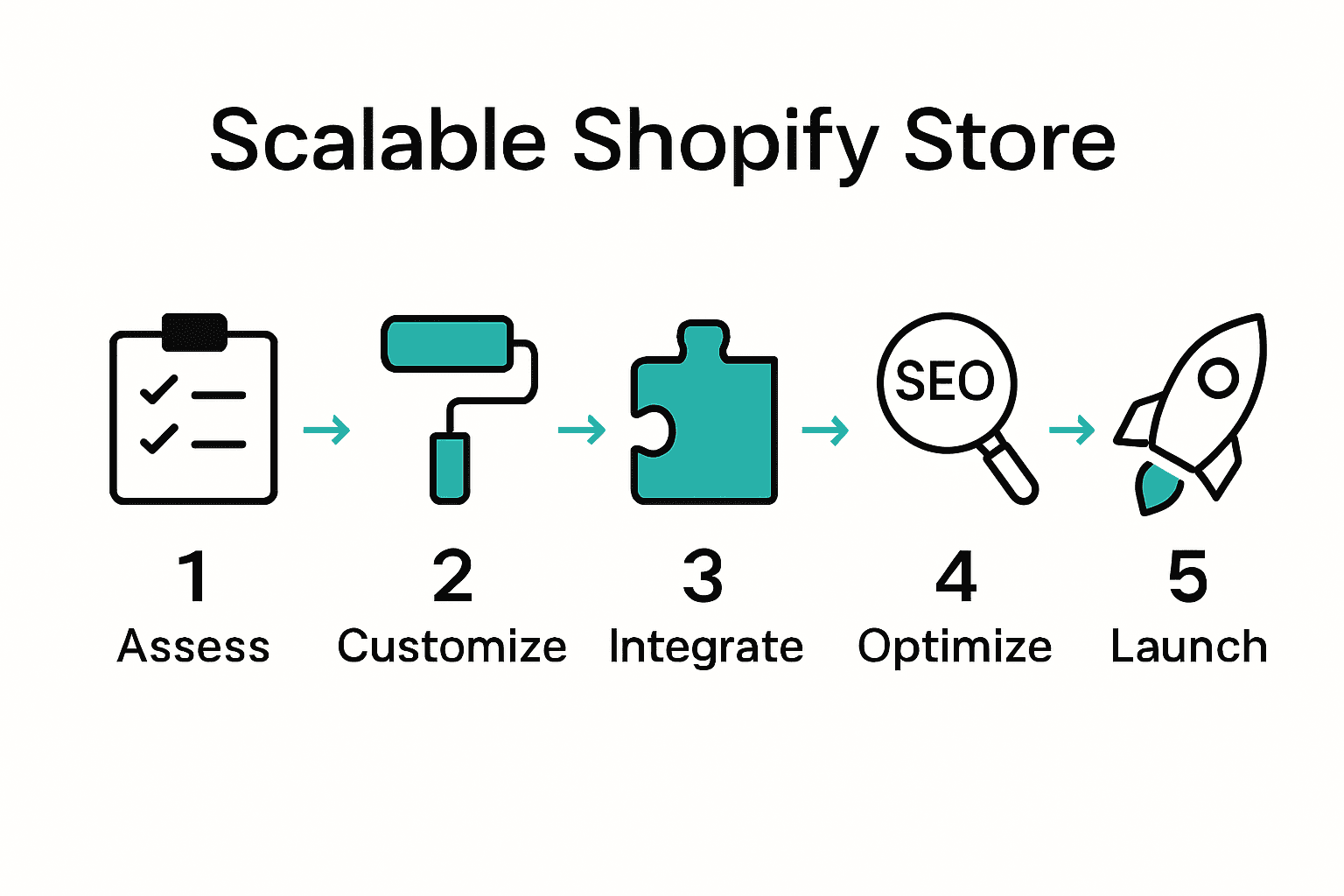
- Step 1: Assess Business Needs And Platform Readiness
- Step 2: Implement Advanced Shopify Theme Customizations
- Step 3: Integrate Essential Apps And Custom Functionalities
- Step 4: Optimize Store For Higher Traffic And SEO
- Step 5: Test, Launch, And Verify Performance
Quick Summary
| Key Point | Explanation |
|---|---|
| 1. Assess business needs thoroughly | Conduct a detailed internal audit of resources and capabilities to align with growth objectives. |
| 2. Implement meaningful theme customizations | Customize your Shopify theme to enhance brand representation and user experience for customers. |
| 3. Prioritize essential app integrations | Identify and integrate apps that specifically address your business needs for improved functionality. |
| 4. Focus on continuous SEO optimization | Implement ongoing SEO techniques to consistently drive traffic and enhance your store’s visibility. |
| 5. Conduct comprehensive testing before launch | Test various aspects of your store to ensure flawless performance and a smooth user experience. |
Step 1: Assess business needs and platform readiness
Preparing to launch or upgrade your Shopify store begins with a comprehensive assessment of your business infrastructure and digital readiness. This critical first step helps you understand whether your current resources align with your growth objectives and platform capabilities.
According to the Market Opportunity Navigator, entrepreneurs must strategically evaluate their existing capabilities against potential market opportunities. Start by conducting a thorough internal audit that examines your current technological capabilities, team skills, financial resources, and product offerings. Create a detailed inventory that maps your business assets and identifies potential gaps between your current state and desired growth trajectory.
Research from arxiv.org emphasizes the importance of revealing operational gaps before implementing new digital solutions. Your assessment should include evaluating key factors such as:
- Current sales volume and revenue streams
- Existing technological infrastructure
- Team technical competencies
- Budget for platform investment
- Scalability requirements
- Customer engagement metrics
Pro tip: Be brutally honest during this assessment. Wishful thinking can lead to misaligned platform choices and wasted resources. If you identify significant gaps, consider creating a phased implementation strategy that allows incremental improvements rather than attempting a complete overhaul simultaneously.
Once you complete this assessment, you will have a clear roadmap for platform selection and digital transformation that matches your business’s unique needs and growth potential. The next step involves translating these insights into a strategic Shopify implementation plan.
Step 2: Implement advanced Shopify theme customizations
Advanced Shopify theme customizations transform your online store from a generic template into a unique digital storefront that reflects your brand’s personality and meets specific business needs. This step goes beyond basic design adjustments to create a truly personalized shopping experience for your customers.
According to Shopify Help, strategic theme customization can dramatically enhance customer experience across different markets. Begin by diving into your theme’s Liquid template files and identifying key areas for customization. This might include modifying product page layouts, creating custom section blocks, or implementing market specific design elements that resonate with your target audience.
Your customization strategy should focus on these core areas:
- Tailoring navigation structures
- Optimizing product display grids
- Creating custom section layouts
- Implementing responsive design elements
- Adding brand specific typography
- Integrating unique interactive features
Pro tip: Always create a duplicate of your original theme before making significant modifications. This allows you to experiment freely without risking your live store’s functionality. Test each customization thoroughly across different devices to ensure consistent performance.
Customize Shopify Theme Code: Unlock 3 Simple Edits can provide additional technical guidance as you refine your theme. Remember that successful theme customization is an iterative process that requires continuous refinement based on user feedback and performance metrics.

Step 3: Integrate essential apps and custom functionalities
Transforming your Shopify store from a basic template to a powerful ecommerce platform requires strategic app integration and custom functionality development. This critical step will help you enhance user experience, streamline operations, and create unique features that set your store apart from competitors.
According to Accentuate.io, custom theme layouts and strategic app integration can dramatically improve your store’s performance and user engagement. Start by conducting a comprehensive audit of your business requirements and identifying specific functionalities that will drive growth. Consider apps that address key areas such as:
- Customer relationship management
- Marketing and conversion optimization
- Inventory and order management
- Payment and shipping integrations
- Analytics and reporting
- Customer support and communication
Research from Brickspace Lab emphasizes the importance of a modular approach when adding custom functionalities. Prioritize apps that offer seamless integration, scalability, and minimal performance overhead. Look for solutions with robust API connections and compatibility with your existing theme architecture.
Pro tip: Before installing any app, always check its performance impact, read user reviews, and verify compatibility with your current Shopify theme. Some apps can significantly slow down your store or create unexpected conflicts.
Theme customization in Shopify: Stress Free 3 Steps can provide additional guidance on integrating these functionalities smoothly. Remember that successful app integration is an ongoing process of testing, refinement, and strategic selection.
Step 4: Optimize store for higher traffic and SEO
Taking your Shopify store from invisible to irresistible requires a strategic approach to search engine optimization and traffic generation. This step transforms your online storefront into a magnet for potential customers by implementing targeted SEO techniques and performance optimization strategies.
Research from arxiv.org highlights that successful e-commerce platforms focus on service quality and user satisfaction as key drivers of customer loyalty. Begin your optimization journey by conducting comprehensive keyword research that aligns with your target audience’s search behaviors. Your strategy should encompass multiple optimization layers:
- Technical website performance optimization
- On page content refinement
- Metadata and schema markup implementation
- Mobile responsiveness improvements
- Page speed acceleration
- Internal linking structure development
According to arxiv.org, e-commerce performance metrics are critically dependent on strategic digital optimization. Focus on creating high quality content that speaks directly to your customer’s needs while simultaneously satisfying search engine ranking algorithms. This means developing product descriptions that are both informative and keyword rich, ensuring each page provides genuine value to potential customers.
Pro tip: Implement a continuous monitoring approach. SEO is not a one time task but an ongoing process of refinement and adaptation.
Shopify Blog SEO: 10 Powerful Tips for Amazing Results 2025 can provide additional insights into advanced optimization techniques. Remember that sustainable SEO success comes from a holistic approach that balances technical precision with genuine user value.
Step 5: Test, launch, and verify performance
The final stage of your Shopify store development is a critical process of comprehensive testing, strategic launching, and continuous performance verification. This step transforms your carefully crafted digital storefront from a theoretical concept into a fully functional revenue generating platform.
Research from arxiv.org emphasizes the importance of developing robust simulation models for understanding potential business performance metrics. Apply this principle by creating a systematic testing framework that evaluates multiple dimensions of your store’s functionality:
- User experience across different devices
- Payment gateway integrations
- Checkout process smoothness
- Loading speed and performance
- Cross browser compatibility
- Mobile responsiveness
- Security protocol effectiveness
According to arxiv.org, advanced e-commerce platforms leverage cognitive understanding to enhance shopping experiences. This means your testing should go beyond technical checks and focus on understanding potential user interactions. Conduct thorough user acceptance testing with real potential customers to gather authentic feedback and identify potential friction points in their shopping journey.
Pro tip: Implement staged rollout strategies. Never launch major changes across your entire platform simultaneously. Instead, use phased deployment to minimize potential disruptions and allow for incremental improvements.
5 Best Practices for Optimizing Your Shopify Store can provide additional guidance on final performance tuning. Remember that launching your store is not an endpoint but the beginning of an ongoing optimization journey.
Elevate Your Shopify Store to Scalable Success Today
Building a Shopify store that truly supports your growth ambitions means overcoming challenges like aligning your business needs with advanced theme customizations and seamless app integrations. This guide highlights common hurdles such as assessing readiness, crafting unique shopping experiences, and optimizing for traffic and SEO. If you are striving to transform your store into a powerful, scalable platform but feel stuck navigating these technical and strategic complexities you are not alone.
At Blackbelt Commerce we specialize in turning these obstacles into opportunities by delivering tailored Shopify solutions that match your unique business goals. Our expertise covers everything from custom theme development to multi-language integrations and Shopify Plus advanced architectures. We understand how crucial a smooth launch and ongoing support are to your success. Explore how our detailed process of consultation, development, testing, and continuous optimization has fueled measurable results for clients seeking higher conversion rates.
Unlock your store’s full potential with expert guidance that makes a difference. Discover our approach to Shopify store optimization and start building a customized, high-performance storefront designed to scale with your business needs.

Ready to break through your growth ceiling? Partner with Blackbelt Commerce to create a Shopify experience that captivates customers and accelerates revenue. Visit us now at Blackbelt Commerce and take the next step toward scalable success.
Frequently Asked Questions
How do I assess my business needs before upgrading my Shopify store?
To assess your business needs, conduct a thorough internal audit of your technological capabilities, team skills, and financial resources. Create an inventory that highlights your current assets and identifies gaps that need addressing to align with your growth objectives.
What are essential customizations I should consider for my Shopify theme?
Essential customizations include tailoring navigation structures, optimizing product displays, and integrating responsive design elements. Focus on making changes that enhance user experience and reflect your brand’s identity.
What types of apps should I integrate to enhance my Shopify store’s functionality?
Consider integrating apps for customer relationship management, marketing optimization, and order management. Evaluate your specific business needs to select apps that offer seamless integration and minimal performance impact.
How can I optimize my Shopify store for better SEO and traffic?
To optimize for SEO, engage in comprehensive keyword research and focus on technical performance improvements. Implement targeted strategies like improving page speed and refining metadata to enhance search visibility within the next 30 days.
What steps should I follow before launching my Shopify store?
Before launching, create a systematic testing framework to evaluate user experience, payment integrations, and site performance across devices. Conduct user acceptance testing with potential customers to identify any friction points before the official launch. Dyb Vekselheim
Recommended
- Building a Website on Shopify: 10 Easy Steps for Success
- 7 Essential Shopify Marketing Tips for Store Growth Success – Shopify Experts: Grow Your eCommerce Revenue
- 5 Best Practices for Optimizing Your Shopify Store – Shopify Experts: Grow Your eCommerce Revenue
- 8 Proven Strategies to Boost Sales on Shopify Plus
- How to Integrate Open Banking into Shopify (Step-by-Step Guide)
- Ecommerce Catalog Management: Complete Guide – ORNER
