

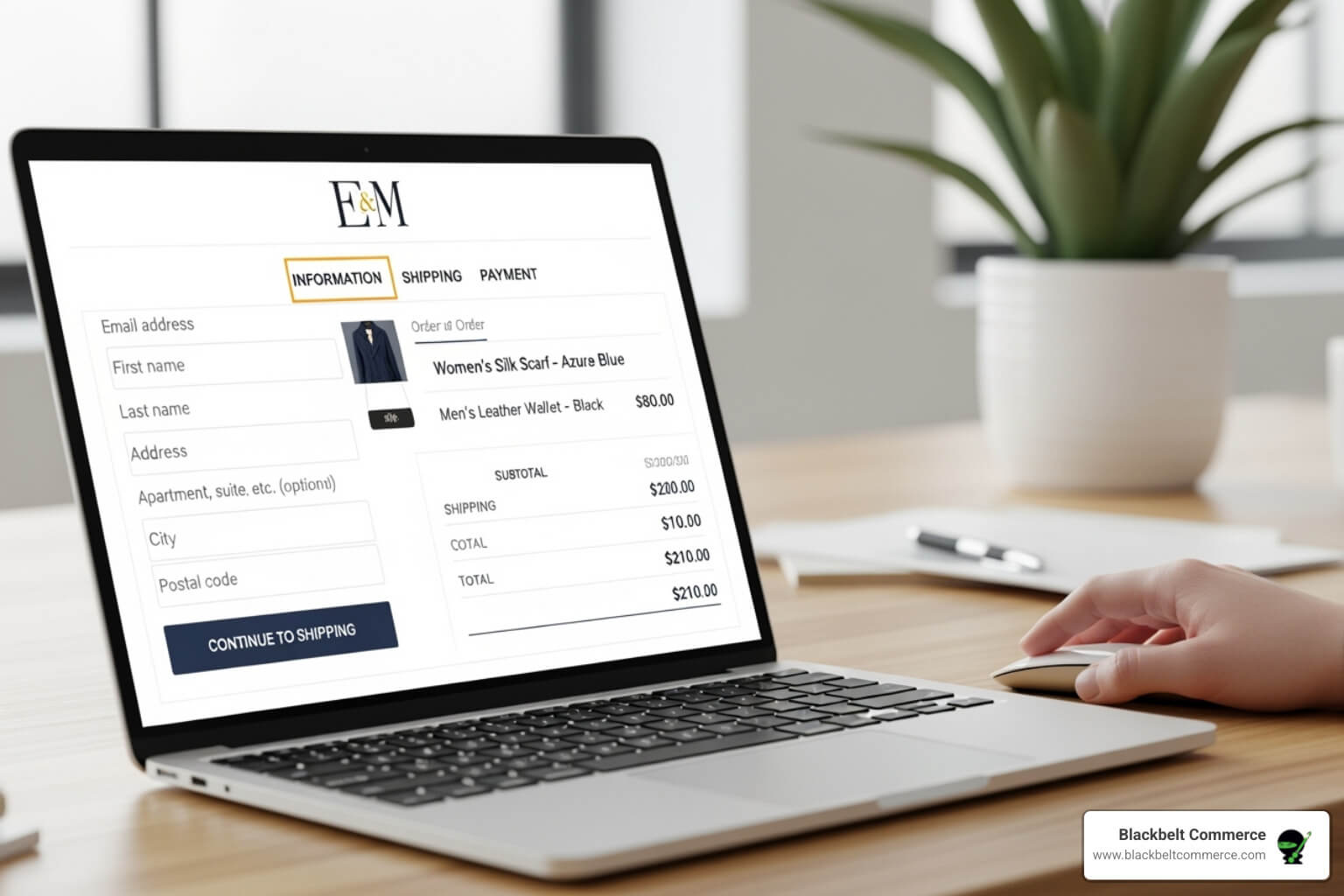
Why Customizing Your Shopify Plus Checkout is a Game-Changer
Shopify Plus checkout customization can improve conversion, average order value, and checkout usability when it is planned correctly. When you plan Shopify Plus checkout customization, you open up a suite of powerful tools that can dramatically transform your conversion rates, average order value (AOV), and overall revenue. However, the checkout page represents the most critical moment in your customer’s journey. In addition, it’s where browsers become buyers—or abandon their carts forever. For example, research consistently shows that almost seven in 10 shoppers abandon their shopping carts. Why? As a result, common culprits include unexpected shipping costs, a complicated or lengthy process, and a lack of trust signals—all issues that strategic checkout customization can solve.
But here’s the exciting part: Shopify’s own data reveals that its accelerated Shop Pay feature boasts a 91% higher conversion rate on mobile than traditional checkout methods—and up to a 50% overall conversion lift across all devices. When you combine this lightning-fast payment option with the strategic customizations available exclusively to Shopify Plus merchants, you create a powerful, fine-tuned revenue-generating machine.
Checkout Extensibility: What Shopify Plus Unlocks
Unlike basic Shopify plans that offer limited branding options, Shopify Plus opens up Checkout Extensibility—a modern, secure framework that lets you deeply customize the information, shipping, and payment pages. Therefore, as of 2026, this framework has fully replaced the legacy checkout.liquid system, and every Shopify Plus merchant is now operating on this more capable, upgrade-safe architecture. Here’s a closer look at what this means for your business:
- Frontend Experience: Deep branding control over colors, fonts, logos, and layout via the Checkout Branding API
- Functional Extensions: Add trust badges, upsells, loyalty widgets, gift messages, B2B fields, and more without touching core checkout files
- Business Logic: Use Shopify Functions to control discount rules, shipping eligibility, and payment method availability with no-code precision
- Analytics & Tracking: Replace legacy pixel scripts with Web Pixels—Shopify’s compliant, privacy-safe tracking framework built for PCI DSS v4
- Post-Purchase Pages: Fully customizable Thank You and Order Status pages with app blocks and web pixels
Working with a Shopify Plus agency to implement these capabilities strategically can reduce cart abandonment by 15–35% and meaningfully increase AOV in the first 90 days. Let’s break down exactly how it all works.
The Evolution of Checkout Customization: Checkout Extensibility vs. checkout.liquid
In practice, if you’ve been running a Shopify Plus store for a few years, you likely remember checkout.liquid—the template file that gave merchants direct HTML/CSS/JavaScript access to the checkout pages. At the same time, it was powerful, but it came with a significant downside: every customization was fragile, difficult to maintain, and increasingly incompatible with Shopify’s security roadmap.
In 2026, that era is definitively over. Shopify has completed the full deprecation of checkout.liquid and all stores—Plus and otherwise—now operate exclusively on Checkout Extensibility. Instead, understanding both systems helps you appreciate why this transition is actually great news for your business.
The Old Way: Understanding checkout.liquid
checkout.liquid was a Liquid template file that developers could edit to inject custom HTML, CSS, and JavaScript directly into checkout pages. While this gave teams considerable creative freedom, the approach had serious limitations:
- Security risk: Raw JavaScript injection into the checkout was incompatible with PCI DSS v4 requirements, which mandate stricter controls over scripts that can access payment data
- Fragility: Shopify’s checkout updates could break custom code at any time, requiring constant developer maintenance
- No upgrade path: Merchants who customized checkout.liquid deeply found themselves unable to adopt new Shopify features without rebuilding from scratch
- Limited scalability: Multi-storefront and international setups became exponentially complex to manage
Key deprecation timeline (now complete):
- August 13, 2024: checkout.liquid stops working for Information, Shipping, and Payment pages
- January 6, 2025: Auto-upgrades began for stores still using checkout.liquid
- August 28, 2025: Deadline for Plus stores to upgrade Thank You and Order Status pages
- August 26, 2026: Final deadline for non-Plus stores—all checkout.liquid support ends completely
If you’re still carrying any checkout.liquid customizations in 2026, they are no longer active. This guide will help you rebuild those capabilities—and exceed them—using the modern extensibility framework.
The New Standard: Checkout Extensibility
Similarly, checkout Extensibility is Shopify’s app-based architecture for customizing checkout safely and sustainably. Instead of modifying template files directly, you work with three core building blocks:
- Checkout UI Extensions: App-based components you install and position within the checkout flow. These extensions run in an isolated sandbox, protecting customer data and ensuring one misbehaving app can’t break the entire checkout experience.
- Shopify Functions: Server-side logic written in WebAssembly that controls discount calculations, shipping eligibility, payment method filtering, and cart validation. Because of this, functions replaced the legacy Script Editor for Plus merchants and offer significantly more capability.
- Web Pixels: Shopify’s compliant replacement for raw JavaScript tracking. For context, web Pixels let you fire conversion events for GA4, Meta, TikTok, and other platforms without violating PCI DSS requirements.
Most importantly, the result is a system that is modular, API-based, and automatically updated. In many cases, when Shopify releases new checkout features, your customizations survive intact. You’re not just improving your checkout today—you’re future-proofing it for the years ahead.
Need help navigating the full transition? Our team at Black Belt Commerce offers custom Shopify development specifically for Plus merchants rebuilding their checkout experience on the new extensibility framework.
Migration Checklist for Shopify Plus Teams
From there, even with the deadline passed, many Plus stores still have gaps in their checkout customization strategy. Use this checklist to ensure you’re getting the full value from Checkout Extensibility in 2026:
Step 1: Audit Your Current Checkout Setup
- Review all installed apps that touch checkout and verify they are Checkout Extensibility-compatible
- Identify any tracking pixels previously injected via checkout.liquid “Additional Scripts”—these must be migrated to Web Pixels
- Inventory all custom checkout fields, upsell logic, and branding overrides from the legacy system
- Check the Upgrade Report in Shopify Admin (Settings > Checkout > Configurations) for any remaining migration tasks
Step 2: Rebuild Branding in the Checkout Editor
- Open the Checkout Editor (available to Plus merchants only) and apply your brand colors, typography, and logo
- Use the Checkout Branding API for deeper customization beyond what the visual editor exposes
- Test visual consistency across mobile, tablet, and desktop—checkout inconsistencies often surface only on specific devices
- Verify that your brand settings carry through to the Thank You and Order Status pages
Step 3: Implement Shopify Functions for Business Logic
- Rebuild any discount logic previously handled by Shopify Scripts (note: the Script Editor is deprecated for Plus merchants)
- Set up shipping filter logic to show or hide methods based on cart contents, customer tags, or order value
- Configure payment method rules—for example, showing net-30 payment options only to tagged B2B customers
- Implement cart validation to enforce minimum order quantities, restricted product combinations, or regional compliance rules
Step 4: Add Checkout UI Extensions
- Install trust badge and guarantee extensions at the payment step to reduce last-minute abandonment
- Add a relevant post-cart upsell offer (ideally priced lower than the main purchase) using a native checkout extension app
- Enable gift message and delivery instruction fields via Global Field Input Blocks
- For B2B stores, add a PO number or tax ID field that appears conditionally for business-tagged customers
- Test every extension for load time impact—each extension should add under 100ms to checkout render time
Step 5: Configure Analytics and Tracking
- Migrate all conversion pixels to Web Pixels via the Shopify Customer Events API
- Set up the Meta Conversions API (CAPI) alongside the browser pixel for redundant signal capture
- Verify GA4 purchase events are firing correctly on the Order Status page
- Implement server-side tracking where possible—it captures 20–40% more conversion data than client-side alone
Common Pitfalls to Avoid
On the other hand, even experienced development teams run into the same traps when working with Checkout Extensibility. Here are the most common mistakes and how to sidestep them:
- Overloading checkout with extensions: More extensions mean more render overhead. That said, keep additions purposeful—each element at checkout should serve a clear conversion or trust purpose. Test load performance after every addition.
- Ignoring mobile checkout UX: Over 79% of ecommerce traffic comes from mobile devices, but many teams design and test on desktop only. For this reason, your checkout must be flawless on a 375px screen.
- Misconfiguring Shopify Functions: Functions that produce unexpected discount stacking or incorrect shipping calculations can cost real money at scale. In short, always test in a development environment with representative cart scenarios before publishing.
- Forgetting the Thank You page: To reduce risk, the Order Status and Thank You pages are now fully customizable and represent a high-value post-purchase touchpoint. For growth-focused teams, use them for loyalty enrollment, referral offers, and cross-sell recommendations.
- Using apps not certified for Checkout Extensibility: Any app that relies on script tag injection into checkout is now blocked. In real projects, audit your app stack and replace non-compliant tools before they create gaps in your conversion tracking or checkout functionality.
Advanced Checkout Customization Strategies for Shopify Plus Merchants
Before choosing a path, once your foundational setup is solid, these advanced strategies separate high-converting Shopify Plus checkouts from average ones.
Conditional Checkout Logic
One of the most powerful—and underused—capabilities in Checkout Extensibility is conditional rendering based on customer data. Shopify Functions give you access to cart attributes, customer tags, line item metadata, and more. Practical applications include:
- Show or hide specific payment methods based on order value thresholds (e.g., offer Buy Now Pay Later only for orders over $75)
- Display wholesale pricing and net-term payment options exclusively to customers with a “wholesale” tag in their profile
- Reveal a free gift offer only when the cart crosses a defined threshold—and update it dynamically as customers add or remove items
- Present region-specific shipping methods and estimated delivery windows based on the customer’s shipping address
- Show subscription upsell offers only to first-time customers, not repeat buyers
This level of personalization was technically possible with checkout.liquid but required complex, fragile JavaScript. With Shopify Functions, the same logic is implemented server-side, runs in milliseconds, and survives every platform update.
Checkout Upsells That Actually Convert
A poorly executed checkout upsell creates friction and kills conversions. By contrast, a well-executed one can add 10–15% to your AOV without any additional ad spend. The difference comes down to relevance, placement, and effort required from the customer.
Effective checkout upsells in 2026 share these characteristics:
- Relevance: They are directly related to items already in the cart (warranty for an electronics purchase, matching accessory for an apparel item)
- Low price relative to cart: An upsell priced at 10–20% of the cart total has far higher acceptance rates than one priced at 80%
- One-click acceptance: Requiring additional form fields or redirects kills the upsell. Strong extensions add items to the order with a single click, no new checkout step required
- Clear value articulation: “Add 2-year warranty for $9.99—normally $19.99” converts better than just “Add warranty for $9.99”
For merchants managing conversion rate optimization at scale, checkout upsells represent one of the highest-ROI interventions available—far cheaper than acquiring an additional customer.
B2B Checkout Customization
Shopify Plus in 2026 has significantly expanded its B2B capabilities, and checkout customization is a key part of that story. If you operate a wholesale or B2B division alongside a DTC storefront, these configurations are worth prioritizing:
- Custom form fields: Collect PO numbers, tax exemption certificates, and account reference numbers at checkout using Global Field Input Blocks
- Net term payment options: Use Shopify Functions to expose net-30 or net-60 payment terms exclusively to approved business customers, identified by customer tags
- Minimum order enforcement: Implement cart validation that prevents checkout from completing until a minimum quantity or order value is met
- B2B-specific discounts: Functions can apply tiered volume pricing automatically based on customer tags or company assignments, without manual coupon entry
- Persistent draft order discounts: A 2025 feature addition allows staff to create discounted draft orders that hold the same pricing when a customer returns to complete the purchase online or in-store—eliminating frustrating price mismatches
Unified Commerce: Checkout + POS Integration
One of the most significant 2025–2026 developments in Shopify’s checkout roadmap is the tighter integration between online Checkout Extensibility and Shopify POS. For brands operating both an online store and physical retail locations, this creates a genuinely unified commerce experience:
- Discounts and promotional rules set up via Shopify Functions apply consistently across online and in-store transactions
- Store credit balances sync in real time between POS and online checkout
- Customer profiles—purchase history, loyalty points, preferences—are accessible to both sales associates and the online checkout flow
- Draft orders created in-store carry through to online completion with the original pricing and terms intact
For multi-channel brands, this represents a fundamental shift from managing two separate systems to operating one connected platform. The customer experience becomes seamless; the operational overhead decreases significantly.
What Success Looks Like: Measuring Checkout Customization Impact
How do you know if your Checkout Extensibility setup is working? Track these metrics before and after making changes—and set up proper attribution so you can isolate which customizations are driving results:
Primary Checkout KPIs
- Checkout completion rate: The percentage of customers who start checkout and complete a purchase. Industry benchmark for optimized Plus stores is 60–75%. Gaps from your current rate represent your biggest opportunity.
- Cart abandonment rate: Directly inversely correlated with checkout completion. Checkout Extensibility interventions—trust signals, transparent shipping costs, simplified forms—typically reduce abandonment by 15–35% in the first 90 days.
- Average order value (AOV): Track AOV before and after enabling checkout upsells or threshold-based gift offers. Even a 5% AOV increase compounded across thousands of monthly orders creates substantial revenue.
- Shop Pay adoption rate: If you haven’t prominently featured Shop Pay as a payment option, you’re leaving conversion on the table. Track what percentage of orders use Shop Pay vs. traditional card entry.
Secondary Metrics to Watch
- Checkout step dropout analysis: Use GA4 funnel reports to see exactly which step—information, shipping, or payment—has the highest dropout rate. This tells you where to focus your customization efforts.
- Mobile vs. desktop conversion gap: A large gap (more than 15 percentage points) indicates mobile checkout UX problems. Targeted mobile optimization of form fields, button sizing, and Apple/Google Pay prominence can close this quickly.
- Extension engagement rate: For checkout upsells and offer blocks, track how often customers engage with them vs. dismiss them. A low engagement rate suggests relevance or placement issues.
- Post-purchase page metrics: Track loyalty enrollment, referral clicks, and cross-sell conversions on your Thank You page—a grossly underutilized revenue touchpoint for most merchants.
Realistic Implementation Timeline
Setting expectations with your team and stakeholders is important. Here’s a realistic timeline based on scope:
- Basic branding + trust extensions: 1–2 weeks. Colors, fonts, logo, basic trust badges, and gift message fields can be configured in days with the right developer support.
- Checkout upsells + conditional logic: 2–4 weeks. Implementing and testing upsell extensions plus Shopify Functions for conditional payment/shipping logic requires careful QA across device types and cart scenarios.
- Full B2B checkout customization: 4–8 weeks. Net terms, PO fields, tiered pricing via Functions, and wholesale-specific flows require deeper development and thorough testing.
- Enterprise multi-storefront customization: 8–12 weeks. For Plus stores running multiple storefronts, markets, or brands with shared checkout logic, plan for a full architecture engagement.
If you’re planning a comprehensive checkout overhaul and need expert guidance, our team of Shopify experts specializes in Plus-tier checkout architecture. We help you scope the project accurately, build on the right tools, and measure results from day one.
Shopify Functions Deep Dive: What You Can Build in 2026
Shopify Functions are server-side programs written in WebAssembly (WASM) that execute within Shopify’s infrastructure. They’re the backbone of custom business logic in the modern checkout and have expanded significantly since their launch. Here’s what’s possible today:
Discount Functions
- Volume discounts: Automatically apply tiered pricing (buy 2 get 10% off, buy 5 get 20% off) without manual coupon codes
- Bundle discounts: Trigger a discount when specific product combinations are in the cart
- Customer-specific pricing: Apply discount rates based on customer tags—different rates for wholesale, loyalty tier, employee, or VIP customers
- BOGO logic: Buy one, get one free or at reduced price, applied automatically at checkout
- Threshold-based free shipping: Dynamically calculate and apply free shipping once a cart value is met
Shipping Functions
- Filter or rename shipping methods based on cart contents, destination, or customer type
- Inject custom shipping rates from third-party rate APIs (useful for freight, custom quote scenarios)
- Apply surcharges for oversize, hazardous, or specialty items automatically
- Hide standard shipping options for B2B customers and show dedicated fulfillment methods instead
Payment Customization Functions
- Hide payment methods that don’t apply to the current order (e.g., hide Buy Now Pay Later for orders under $50)
- Surface net-term invoice options for customers tagged as approved business accounts
- Reorder payment methods to surface your preferred option (Shop Pay, for instance) above alternatives
- Block payment methods by product type for regulatory compliance (certain financial products, age-restricted items, etc.)
Cart and Checkout Validation
- Enforce minimum order quantities or minimum cart values before checkout can proceed
- Block checkout for restricted product combinations (e.g., incompatible items, regulatory restrictions)
- Validate custom input fields—for example, ensuring a B2B PO number field is filled before allowing order placement
- Restrict checkout to approved shipping regions for certain product categories
Functions execute in milliseconds and are hosted entirely by Shopify—no external servers, no latency concerns, no maintenance overhead. For complex B2B scenarios or high-volume DTC stores, they are transformative. To understand what’s involved in building custom Functions for your specific use case, see our breakdown of Shopify expert costs for Plus-tier development projects.
Checkout Branding API: Visual Customization in 2026
The Checkout Branding API gives Shopify Plus merchants programmatic control over the visual appearance of checkout pages—going beyond what the drag-and-drop Checkout Editor exposes. Here’s what you can control:
Brand Elements You Can Customize
- Typography: Set custom font families, sizes, weights, and line heights for headings, body text, input labels, and button text
- Color system: Define primary, secondary, accent, background, and error state colors consistently across the entire checkout flow
- Logo and favicon: Upload your brand logo and ensure it appears prominently in the checkout header
- Button styles: Customize the shape (rounded, squared, pill), size, and color of primary and secondary action buttons
- Input fields: Control border style, border radius, focus states, and placeholder text appearance
- Background treatments: Apply custom background colors, subtle patterns, or brand imagery to checkout page backgrounds (within Shopify’s performance-safe guidelines)
- Animated transitions: Add subtle animated transitions between checkout steps for a modern, polished feel
The goal is checkout design that feels like an organic extension of your storefront, not a generic transaction form. When customers see a visually consistent checkout, trust increases—and so do conversions. Top-performing Shopify Plus stores treat the checkout editor like a conversion optimization tool, not just a branding exercise.
Web Pixels: Replacing Legacy Tracking in Checkout
One of the less glamorous but critically important aspects of the checkout.liquid deprecation is tracking migration. Many merchants previously injected Meta Pixel, GA4, TikTok Pixel, and other tracking scripts directly into the checkout via “Additional Scripts”—a feature that has been fully removed.
Web Pixels are Shopify’s purpose-built replacement. They run in an isolated sandbox, access a standardized set of customer event data (page views, cart events, checkout steps, purchases), and comply fully with PCI DSS v4 requirements. Here’s how to get your tracking right in 2026:
Setting Up Web Pixels
- Use Shopify’s native integrations for Meta, Google, TikTok, and Pinterest—these are now pre-built and launch directly from your admin without developer involvement
- For custom pixel configurations, use the Customer Events API to subscribe to standard events (checkout_completed, payment_info_submitted, etc.) and fire your custom analytics logic
- Implement the Meta Conversions API (server-side) in parallel with the browser pixel for redundant conversion signal capture—critical for accurate Meta Ads attribution post-iOS 14
- Validate your pixel setup with Shopify’s built-in Event Inspector and Meta’s Test Events tool before your next major campaign
Accurate conversion tracking isn’t just a reporting nicety—it directly affects the performance of your paid advertising campaigns. Meta’s algorithm needs clean purchase signal data to optimize effectively. Merchants who completed proper Conversions API setup alongside their checkout migration have seen paid social efficiency improve meaningfully as their attribution data quality recovered.
For a full audit of your tracking setup alongside checkout optimization, our conversion rate optimization service covers the complete checkout funnel from first click to confirmed order.
Frequently Asked Questions: Shopify Plus Checkout Customization
Do I need to be on Shopify Plus for Checkout Extensibility?
No—Checkout Extensibility is available to all Shopify plans for basic UI extensions and branding. However, the Checkout Editor (the drag-and-drop visual interface), the Checkout Branding API, and the ability to add custom extensions to checkout pages is exclusive to Shopify Plus. Non-Plus stores can use pre-approved checkout extension apps but cannot customize the placement or behavior of those extensions with the same level of control.
What happened to Shopify Scripts?
Shopify Scripts—the Ruby-based system that Plus merchants used to write discount and shipping logic directly in their admin—has been deprecated. The replacement is Shopify Functions, which offers similar capabilities but runs server-side in WebAssembly, executes faster, and doesn’t require Ruby scripting knowledge. If your store was using Scripts for volume discounts, BOGO offers, or shipping customizations, those need to be rebuilt as Shopify Functions.
Can I still add custom fields to checkout?
Yes—and more easily than before. Global Field Input Blocks, accessible through Checkout UI extensions, let you add custom text fields, dropdown menus, and checkboxes to checkout pages. Common use cases include gift messages, delivery instructions, PO numbers, tax IDs, and product personalization notes. These fields can be made required or optional and can appear conditionally based on cart contents or customer attributes.
How much does a checkout customization project typically cost?
Basic branding and trust extension setup can be accomplished in 5–15 developer hours. More complex implementations—custom Shopify Functions for discount logic, B2B checkout flows, or multi-storefront configurations—typically run 40–120 hours depending on complexity. For an accurate scope of your specific project, see our resource on Shopify expert costs or book a discovery call with our team.
How do I test checkout customizations safely?
Always develop and test in a development store or using Shopify’s theme preview mode before publishing to your live storefront. For Shopify Functions, use the Shopify CLI to test logic locally, then deploy to a development environment. Run test transactions across mobile and desktop browsers, including Apple Pay and Google Pay flows, before launching to production. Set up Shopify’s payment testing mode using Shopify Payments or a test gateway to simulate transactions without processing real charges.
Getting Started: Your Next Steps
Shopify Plus checkout customization in 2026 is entirely built on Checkout Extensibility—and that’s a good thing. The framework is more secure, more capable, and more maintainable than anything that came before it. Whether you’re rebuilding after a checkout.liquid migration, starting fresh on Plus, or looking to squeeze additional conversion performance from an already-solid setup, the opportunity is significant.
Here’s where to start:
- Audit your current state: Review your checkout in Shopify Admin, check for any outstanding migration tasks in the Upgrade Report, and benchmark your current checkout completion rate
- Identify your highest-impact opportunity: Is it branding and trust signals? B2B logic? Checkout upsells? Tracking accuracy? Pick one area and go deep before spreading across multiple initiatives
- Build on certified tools: Use only apps and extensions that are officially certified for Checkout Extensibility—verify in the Shopify App Store before installing
- Measure everything: Set up proper GA4 funnel tracking and ensure your Meta and Google conversion pixels are firing accurately before you start A/B testing checkout changes
- Iterate continuously: Checkout optimization is not a one-time project. The top-performing Plus merchants treat it as an ongoing practice, testing and refining based on real customer behavior data
If you’d prefer to work with a team that has done this dozens of times across industries and order volumes, our Shopify Plus agency practice is built precisely for this. We don’t just implement—we audit, strategize, build, test, and measure. Because checkout is too important to leave to guesswork.
Quick answer for Shopify store owners
Shopify Plus checkout customization is most valuable when it improves conversion, reduces friction, and supports operational requirements without breaking Shopify’s upgrade path. As a result, the right approach depends on checkout extensibility, payment needs, shipping logic, analytics, and how much control your team needs after launch.
Need help turning this Shopify Plus checkout customization plan into a revenue-focused Shopify project?
Book a strategy call with us so we can review your goals, identify the highest-impact next step, and help you prioritize the work.
When should you bring in a Shopify Plus checkout expert?
However, checkout work is one of the highest-risk areas of a Shopify Plus store because small changes can affect conversion, tracking, compliance, and order operations. For example, if your checkout needs custom fields, B2B logic, shipping rules, analytics events, or post-purchase improvements, expert implementation can prevent revenue loss and technical debt.
Need help turning this into a revenue-focused Shopify plan? Book a priority call with Blackbelt Commerce and we will help you identify the next best step for your store.
Key takeaways
- Preserve the main search intent of this topic before adding commercial recommendations.
- Use the information on this page to decide whether your team can handle the work internally or needs expert Shopify support.
- Focus on changes that improve revenue, conversion rate, speed, SEO, or operational efficiency.
Related Shopify Plus Checkout resources
To continue planning your next step, review these related Blackbelt Commerce resources:
Frequently asked questions
What is the goal of Shopify Plus checkout customization?
The goal is to reduce friction, support business rules, and increase completed orders while keeping the checkout stable and maintainable.
Can checkout customization hurt conversions?
Yes. Poorly planned fields, scripts, tracking changes, or layout decisions can slow shoppers down and reduce completed purchases.
Can Blackbelt Commerce review a Shopify Plus checkout?
Yes. You can book a priority call to review checkout goals, current limitations, and the safest path for implementation.
Need help turning this Shopify Plus checkout customization plan into a revenue-focused Shopify project?
Book a strategy call with us so we can review your goals, identify the highest-impact next step, and help you prioritize the work.
Ready to turn this into a Shopify growth project?
If this topic connects to a current store issue, redesign, migration, SEO problem, or conversion goal, book a priority call with Blackbelt Commerce. We will review the situation, explain the tradeoffs, and help you choose the most practical path forward.
Quick Answer: shopify plus customize checkout
Customizing checkout in Shopify should make the buying path clearer, faster, and more trustworthy without adding unnecessary friction. The right approach depends on the merchant’s Shopify plan, checkout constraints, payment needs, brand requirements, and conversion data.
Want a sharper Shopify growth plan?
If this article connects to a current store decision, use the calendar to book a strategy call and turn the idea into a practical plan.
Key Takeaways
- shopify plus customize checkout should answer the reader’s immediate question and then connect the advice to a practical Shopify business decision.
- The article should feel specific, useful, and worth sharing rather than like a generic SEO insert.
- Internal links should reinforce the home page, Shopify experts, Shopify Plus agencies, and the most relevant service pages.
- The commercial bridge should connect the topic to the Shopify Plus Support, Pricing, and Agency Strategy cluster without interrupting the educational flow.
- The same-page Calendly CTA should let qualified readers book a strategy call without leaving the article.
How this connects to your Shopify growth strategy
This article should remain useful for readers researching shopify plus customize checkout, but it also needs to show when the topic becomes a business decision. For the Shopify Plus Support, Pricing, and Agency Strategy cluster, the commercial bridge is practical: once the reader understands the concept, the next step is deciding whether their current Shopify setup can support the desired experience, conversion path, and operational workflow. That is where expert planning, design, development, CRO, and SEO support can turn the idea into measurable store improvements.
Want a sharper Shopify growth plan?
Use this guide as a decision tool. Then book a strategy call when you want a practical roadmap for your store.
Related Shopify resources
These internal resources support the Shopify Plus Support, Pricing, and Agency Strategy topic cluster and help connect this guide to stronger commercial next steps:
- Shopify Plus Support, Pricing, and Agency Strategy
- Shopify experts
- Shopify Plus agencies
- Shopify Plus Support, Pricing, and Agency Strategy — Parent service page for the reader’s next commercial step
- Blackbelt Commerce — Home-page authority link for brand and core Shopify expertise
- Shopify experts — Money-page link requested for expert-hiring intent
- Shopify custom development — Development service page for implementation and technical help
- Shopify CRO — Conversion service page for readers focused on revenue and lead generation
- Cost of Shopify website — Related pricing article that helps readers compare platform, build, and expert investment decisions
- Shopify Plus benefits — Related Plus strategy article for readers comparing platform value and growth-stage fit
Questions store owners ask before taking action
Why does shopify plus customize checkout matter for Shopify merchants?
shopify plus customize checkout matters when it affects customer trust, store performance, conversion, operations, or the ability to grow without avoidable rework.
What should the reader do first?
They should identify the business goal, review the current customer journey, and decide which improvement would have the clearest impact.
How do internal links help this article?
Internal links connect the educational topic to related service pages, Shopify experts, Shopify Plus agency support, and deeper resources.
When is expert help useful?
Expert help is useful when the decision affects revenue, SEO, conversion, integrations, technical implementation, or a high-risk store change.
How does this article support lead generation?
It educates first, then gives qualified readers a same-page option to book a strategy call when they need help applying the advice.
Future articles needed for topical dominance
To build deeper topical authority around this cluster, these supporting topics should be created later and linked back into this article:
- Shopify Plus Customize Checkout Checklist for Shopify Store Owners: Creates a practical support article that turns the Shopify Plus Support, Pricing, and Agency Strategy topic into an actionable review tool.
- Common Shopify Plus Customize Checkout Mistakes and How to Avoid Them: Captures problem-aware searches and gives BBC a natural place to explain implementation risks without hard selling.
- When to Hire Shopify Experts for Shopify Plus Customize Checkout: Connects informational demand to the expert-hiring money page while preserving educational intent.
Want a sharper Shopify growth plan?
Ready to turn the advice in this article into an action plan? Open the calendar here and choose a time that works for you.

